A template is a blueprint for text, graphics and formatting in a document. A template can store boilerplate text, custom toolbars, macros, shortcut keys, styles, and Auto Text entries. If you want to create a memo, you can use a template that contains company name, heading, date and time, and placeholder to indicate where you can start typing text.
To create a new document from an existing template
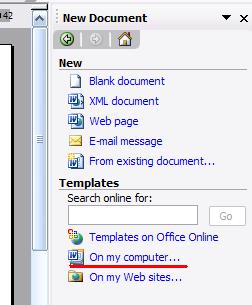
1: Click File menu, choose New
2: In Templates or right hand side, select the On my computerlink.
3: Select the template that you want to use
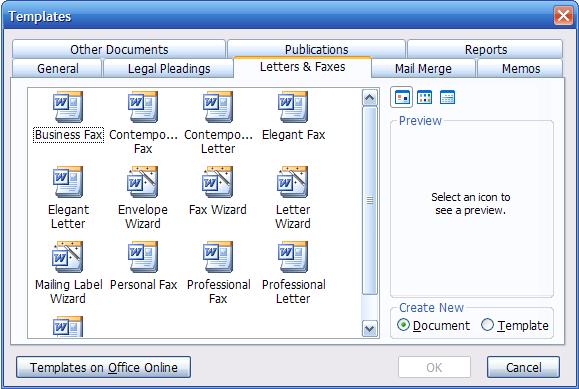
4: Click ok to be done.
| Home | Word | Excel | PowerPoint | Access | Internet | Security |